Bulk Actions & Smart Filtering: The New Link Management Workflow
IndexChecker's project view turns a list of thousands of backlinks into a workspace: select links in bulk, re-check only the ones that matter to save credits, filter to links that just changed index status, and export a client-ready report. 1 credit checks 1 URL, so re-checking only your non-indexed links keeps a large campaign cheap to monitor.
Managing a project with 50, 500, or 5,000 backlinks shouldn't feel like manual labor. In SEO, efficiency is currency: the faster you can separate the links Google actually counts from the ones it ignores, the less budget you waste re-indexing pages that were never gone. This guide walks through the four things you do most in a large link project - select, re-check, filter and export - and how to do each in a few clicks.
How do you manage thousands of backlinks without manual work?
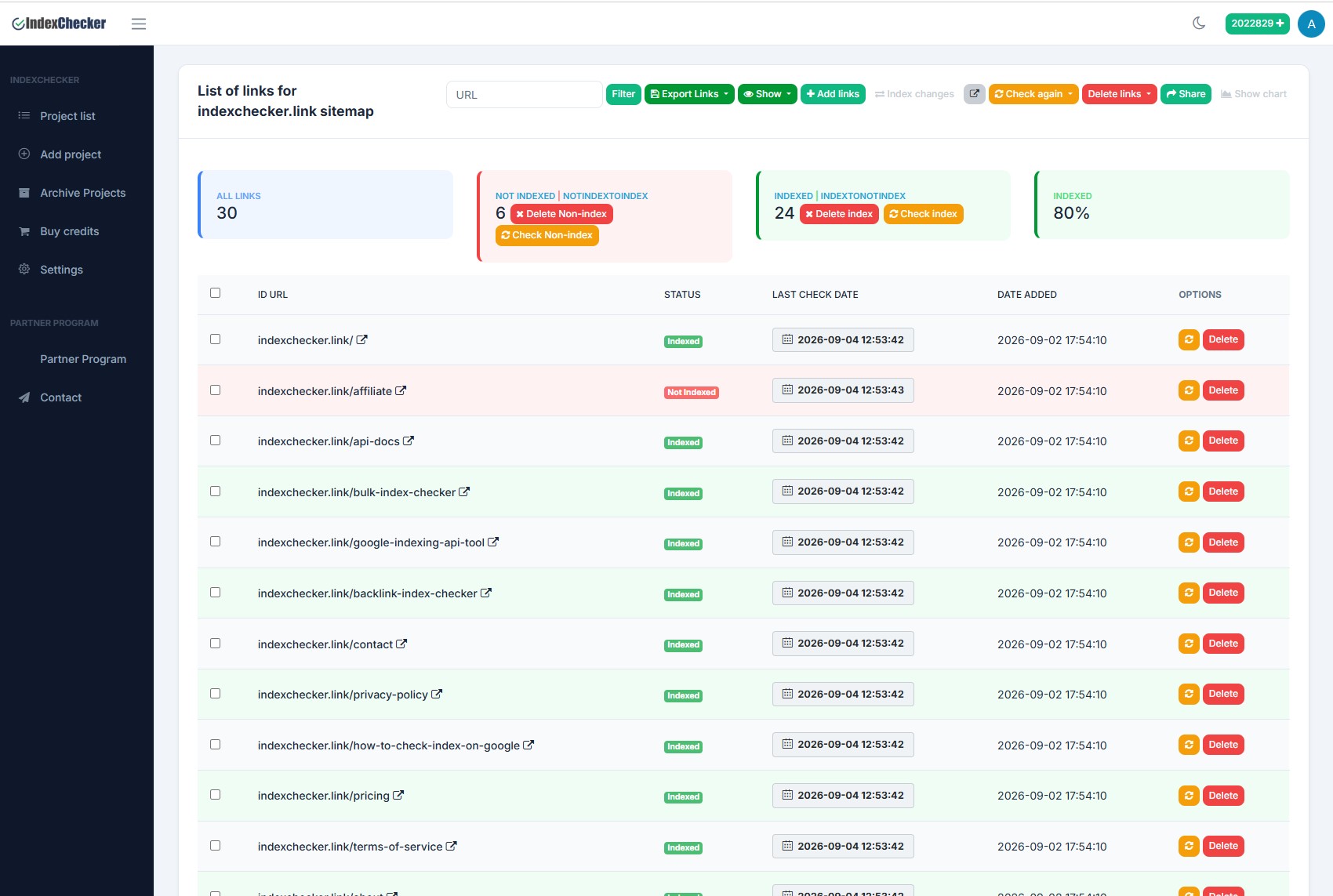
Select links in bulk with the checkboxes at the top of the list, then apply one action to the whole selection. You can tick every link in the project with a single click, or pick a specific subset - for example only the links from one guest-post batch - and export or delete just those, without touching the rest of your campaign history. On a project with thousands of URLs, that is the difference between a two-minute audit and an afternoon of scrolling.
How do you re-check only the links that matter and save credits?
Re-checking an entire project when you only care about the dead links wastes budget, because every check spends one credit per URL. The action buttons above the list give you three separate re-check modes, so you spend credits only where a change is possible:
| Re-check mode | What it re-checks | When to use it |
|---|---|---|
| Re-check all | Every URL in the project | A full monthly refresh of the whole list |
| Re-check indexed | Only links currently marked Indexed | Catching de-indexing - links that were live but dropped out |
| Re-check non-indexed | Only links currently marked Not Indexed | Link building - retest links that failed, skip the ones already green |
For link builders, Re-check non-indexed is the one that saves the most money. After you submit a batch to an indexer, you only need to retest the links that had not been picked up yet - the ones already in the index will not change, so paying to check them again is wasted credit.
Pro tip: Building your own dashboard? You can trigger these checks programmatically through the REST API - see the project endpoints in our API documentation.
How do you spot links dropping out of the index?
Use the "Show" filter above the list and switch to the Status Changed view. Instead of the standard Indexed vs. Not Indexed split, this isolates only the URLs that moved since the previous check - links that dropped out of the index, and links that suddenly entered it. A link on a page Google has purged returns a 200 OK to a human visitor but passes zero ranking value, so it is invisible in your analytics until you compare one check against the last.
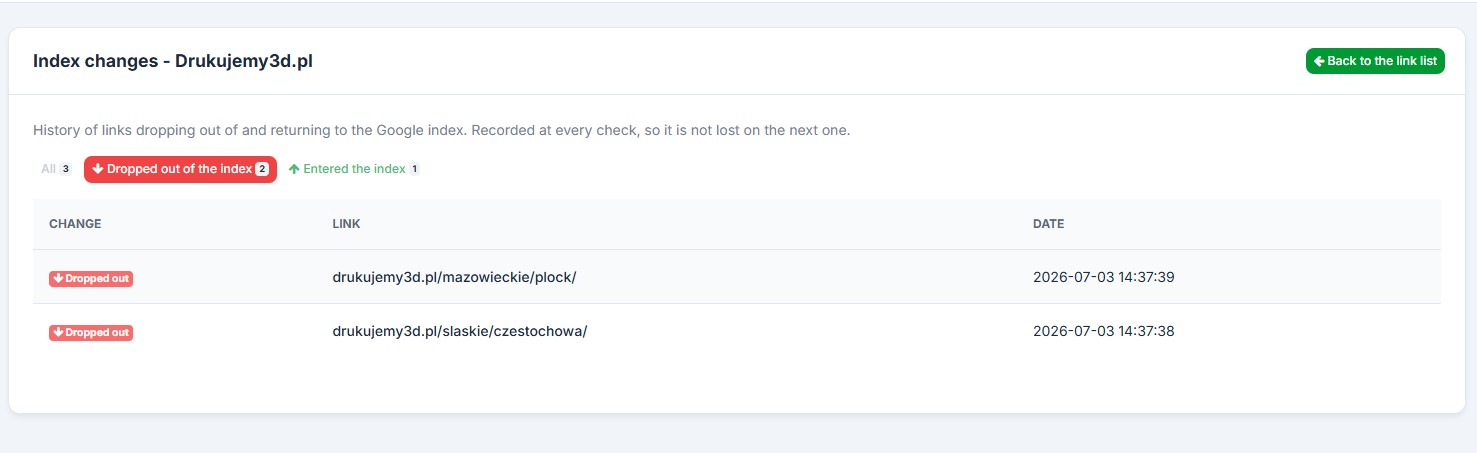
Because the change is recorded at every check, the history is never lost on the next run. That lets you catch low-authority publishers that Google is purging early - in time to contact the webmaster, rebuild the link, or disavow it before it drags on your rankings.
How do you export a backlink report for a client?
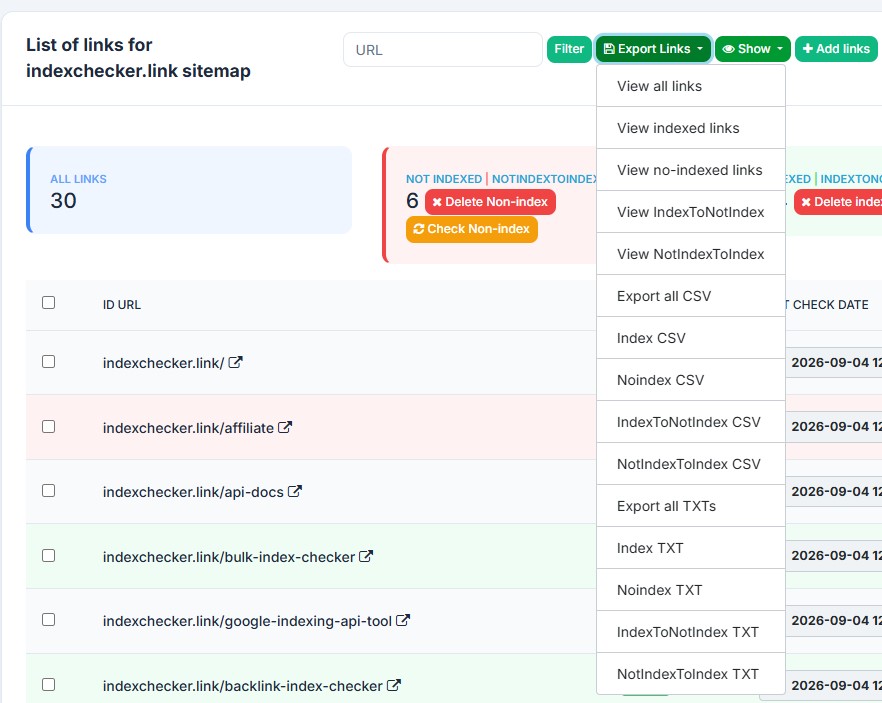
Open the "Export Links" menu and choose CSV or TXT, or view the links straight in the browser to copy them. Every export can be split into indexed, not-indexed or all links, plus the two change lists - links that moved from indexed to not-indexed and the other way round. That makes a white-label client report a one-click job: send the "Not Indexed" list to your indexer, and hand the client the clean "Indexed" list as proof of work.
Frequently asked questions
Does re-checking a project cost credits every time?
Yes - 1 credit per URL checked, including the second-datacenter re-check. That is why the "Re-check non-indexed" mode matters: it re-tests only the links that can still change, so you never spend a credit on a link that is already in the index.
What does the "Status Changed" filter actually show?
Only the URLs whose index status differs from the previous check - links that dropped out of Google's index and links that newly entered it. It is the fastest way to see link decay without reading the whole list.
Can I share a project report without giving someone an account?
Yes. The Share button generates a public report link that opens without a login or account, so a client can see the indexation status of their links directly.
Can I automate bulk re-checks with the API?
Yes. The REST API can create projects, trigger checks and read your credit balance, so you can run the whole select-recheck-export workflow from your own scripts. See the API documentation.
Google's own documentation on how indexing works and how it is measured.
These features are live in your dashboard. Log in to try the workflow, or create a free account with 50 credits to test it against your own link list.